💻 Use CLI Tools
:tools:Installation
Install the npm package globally on your system
npm install -g @lighthouse-web3/sdk
in case you had our old package installed, you will need to uninstall that before installing the above package.
❌To uninstall the old package, run the following command:
npm uninstall -g lighthouse-web3
:page_facing_up:Commands
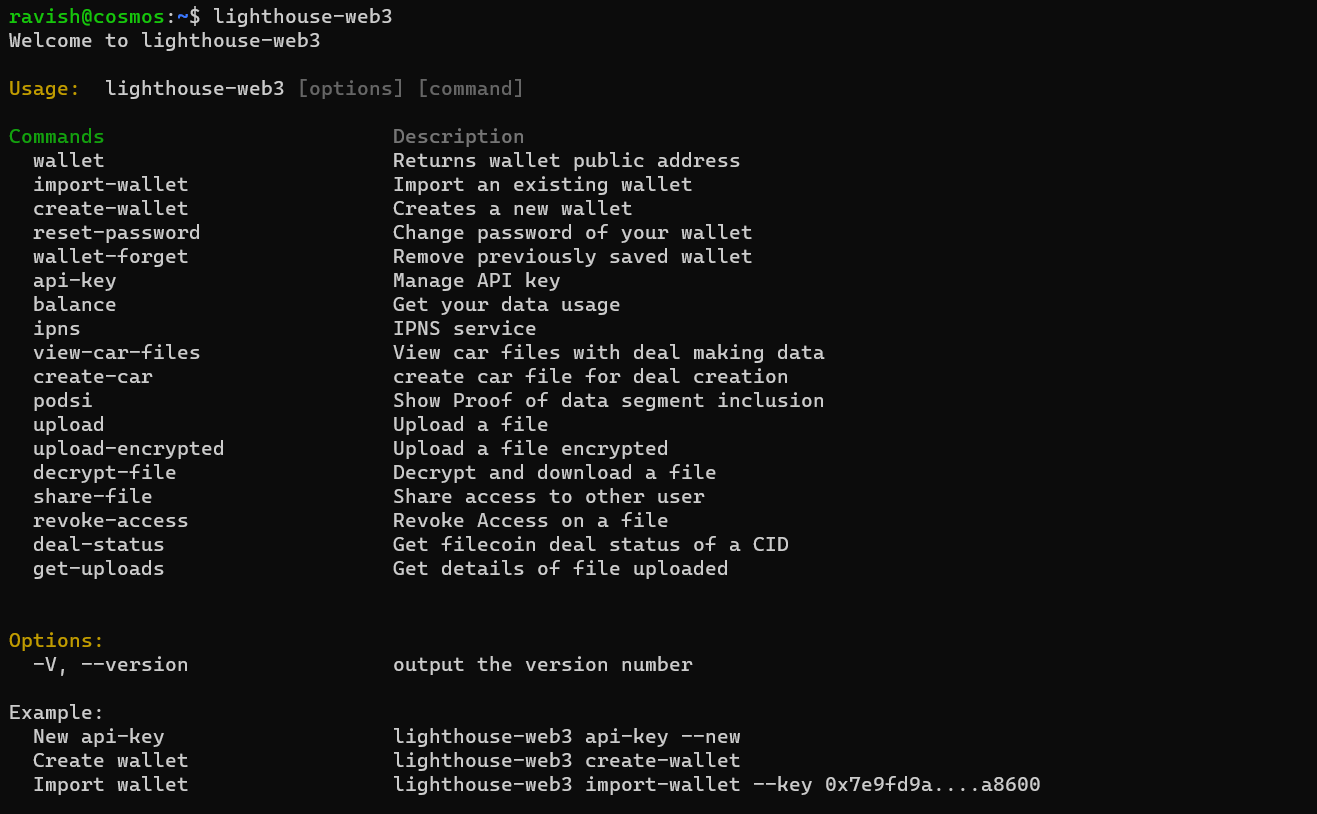
Run the following command in your CLI to see every function
lighthouse-web3 --help
The following commands are available with the Lighthouse CLI tool
wallet- Returns wallet public address and connected networkcreate-wallet- Creates a new walletimport-wallet- Imports an existing walletwallet-forget- Remove previously saved walletreset-password- Change your passwordbalance- Get the current balance of your wallet and data usageupload- Upload a fileupload-encrypted- Upload a file with encryptiondecrypt-file- Decrypt and download the fileshare-file- Share direct access to the filerevoke-access- Revoke direct access to the filedeal-status- Get storage Filecoin deal statusget-uploads- Get details of files uploadedapi-key- Get a new API key
:frame_photo:CLI Commands
Go SDK CLI Tool
The Lighthouse Go SDK includes a CLI tool (lhctl) that you can install directly from the published Go module.
:tools:Installation
Install the CLI tool using Go:
go install github.com/lighthouse-web3/lighthouse-go-sdk/cmd/lhctl@latest
This will install lhctl to your $GOPATH/bin or $GOBIN directory. Make sure this directory is in your PATH to use it directly.
Alternatively, if you prefer to build from source:
git clone https://github.com/lighthouse-web3/lighthouse-go-sdk.git
cd lighthouse-go-sdk
go build -o lhctl ./cmd/lhctl
Authentication
Set your API key in the environment before running commands:
export LIGHTHOUSE_API_KEY=YOUR_API_KEY
:page_facing_up:Commands
- Upload a file
lhctl --upload ./path/to/file
- List uploaded files
lhctl --list
With pagination cursor (from previous output):
lhctl --list --last-key <cursor>
- Get file info by CID
lhctl --info <cid>
- Delete a file by ID (use --list to find IDs)
lhctl --delete <id>
- Check Filecoin deal status by CID
lhctl --deals <cid>
- IPNS - Handle Mutable Data
Generate a key:
lhctl --ipns-generate <keyName>
This will return an IPNS Name (hash) and IPNS ID. Use the IPNS Name for publish and remove operations.
Publish a CID to a key:
lhctl --ipns-publish <cid>:<ipnsName>
Note: Use the IPNS Name (hash) returned from --ipns-generate or shown in --ipns-list, not the original keyName.
List keys:
lhctl --ipns-list
Remove a key:
lhctl --ipns-remove <ipnsName>
Note: Use the IPNS Name (hash) from --ipns-list, not the original keyName.
CLI Commands
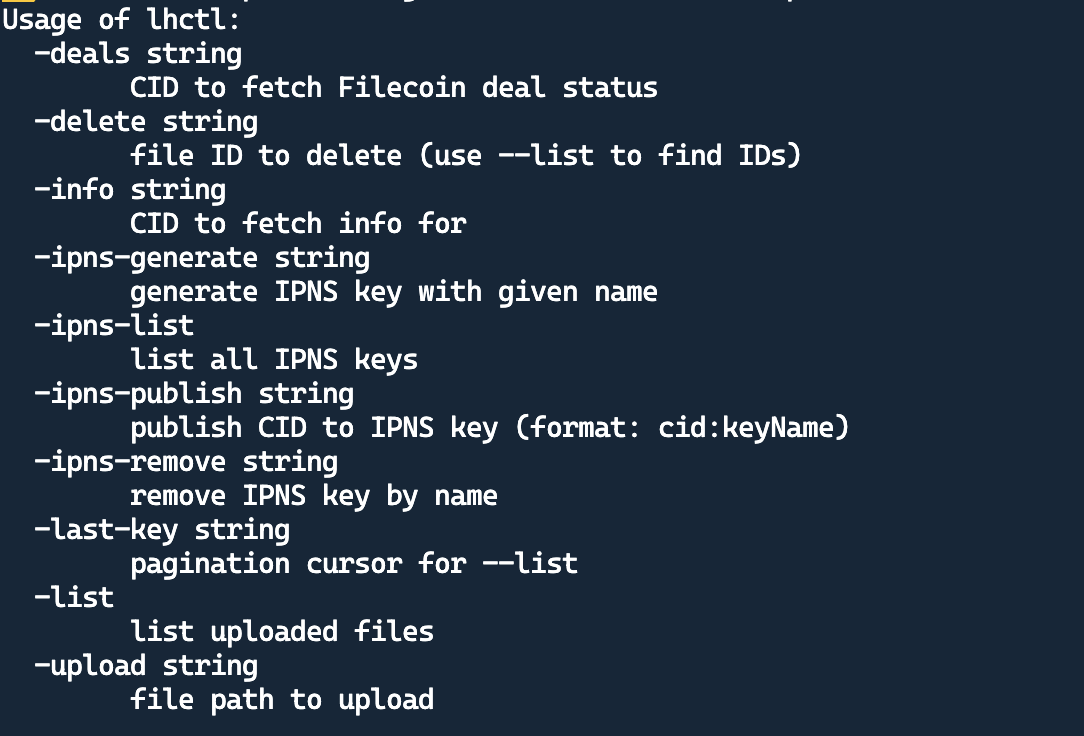
Run the following command to see all available commands:
lhctl --help