Quick Start
In this section, we will see how to:
This Quick Start guide walks you through the essentials: creating an API key, uploading a file, viewing it, and tracking its storage status. While the examples below use Node.js, you can easily adapt them for other environments using our How-To section.
1. Create an API Key
-
Login into Lighthouse files dapp (https://files.lighthouse.storage/)
-
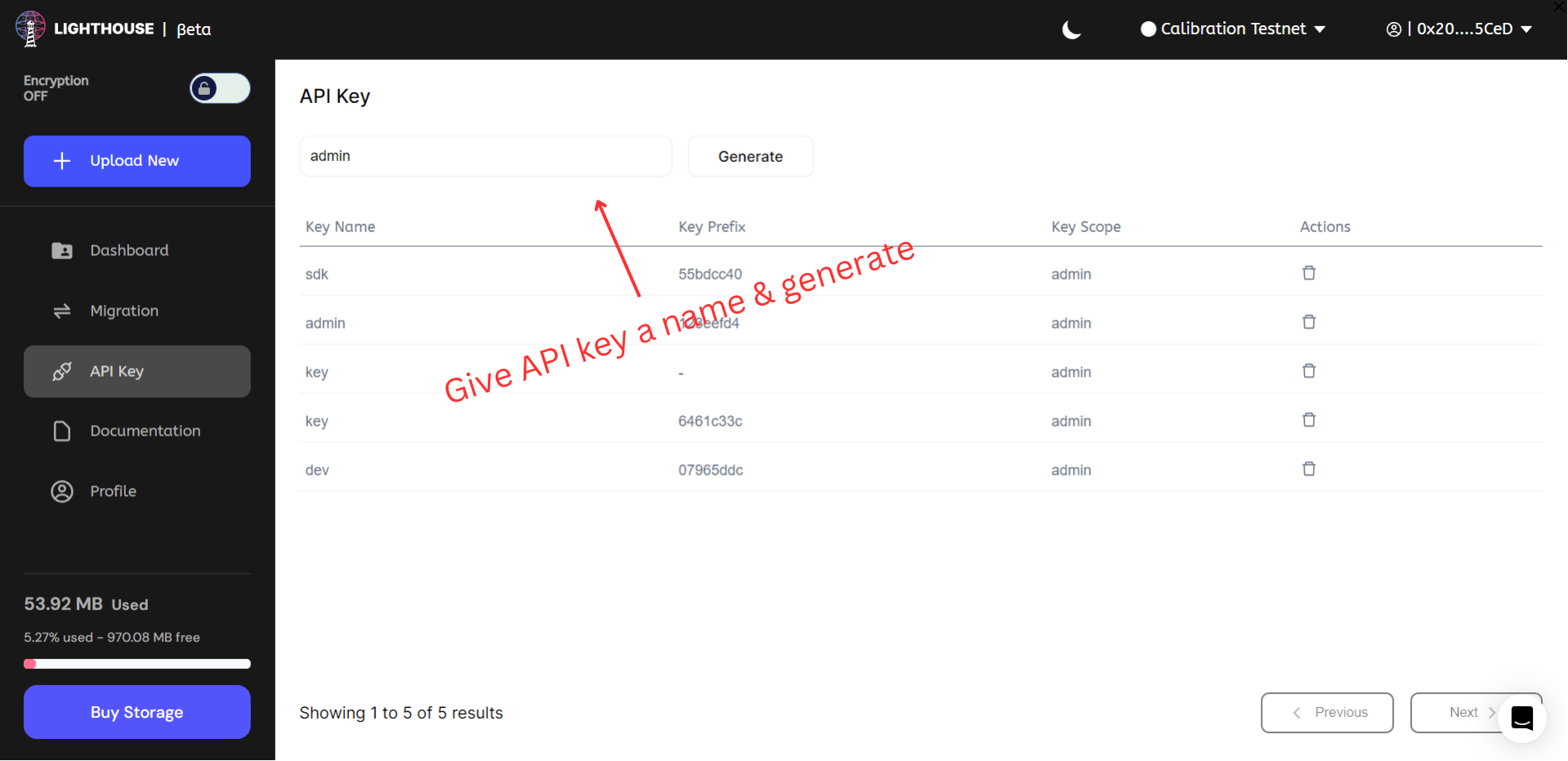
Go to the API key section and generate the API key as shown in image below
You can also generate the API key from CLI
2. Upload a File
- Install the lighthouse package in your Node application
npm i @lighthouse-web3/sdk
- Run the following script
import lighthouse from '@lighthouse-web3/sdk'

const apiKey = 'YOUR_API_KEY_HERE';
const uploadResponse = await lighthouse.upload(
  '/home/cosmos/Desktop/wow.jpg',
  apiKey
);

console.log(uploadResponse);
On success, you'll receive an object containing the file name, its CID ("Hash"), and size—example shown below:
{
  "data": {
    "Name": "wow.jpg",
    "Hash": "QmUHDKv3NNL1mrg4NTW4WwJqetzwZbGNitdjr2G6Z5Xe6s",
    "Size": "31735"
  }
}
3. View the File
The file can be viewed from an IPFS gateway: https://gateway.lighthouse.storage/ipfs/QmWC9AkGa6vSbR4yizoJrFMfmZh4XjZXxvRDknk2LdJffc
gateway.lighthouse.storage is now restricted to premium users. Other users can use dedicated URL, you will find your URL in profile section of dashboard.
4. Get Filecoin Deal
Filecoin deals can take up to couple of hours to 1 day to appear—this is expected. Use the dealStatus function as shown below to monitor progress. Once sealed, files are verifiably stored.
const status = await lighthouse.dealStatus('bafkreia4ruswe7ghckleh3lmpujo5asrnd7hrtu5r23zjk2robpcoend34')
The response will look like this:
{
  "data": [
    { "DealID": 100046008, "Provider": 10479 },
    { "DealID": 100049432, "Provider": 97777 },
    { "DealID": 101757861, "Provider": 2942349 }
  ]
}
5. What's Next?
Explore further with:
- CLI tools
- Python SDK examples
- Encrypted uploads (Kavach)
- Token gating & access control
- Image resizing, IPNS, and more…